
Appearance
KPIs
The KPIs page shows every indicator of the project: its target, where it stands, and whether it is on pace.
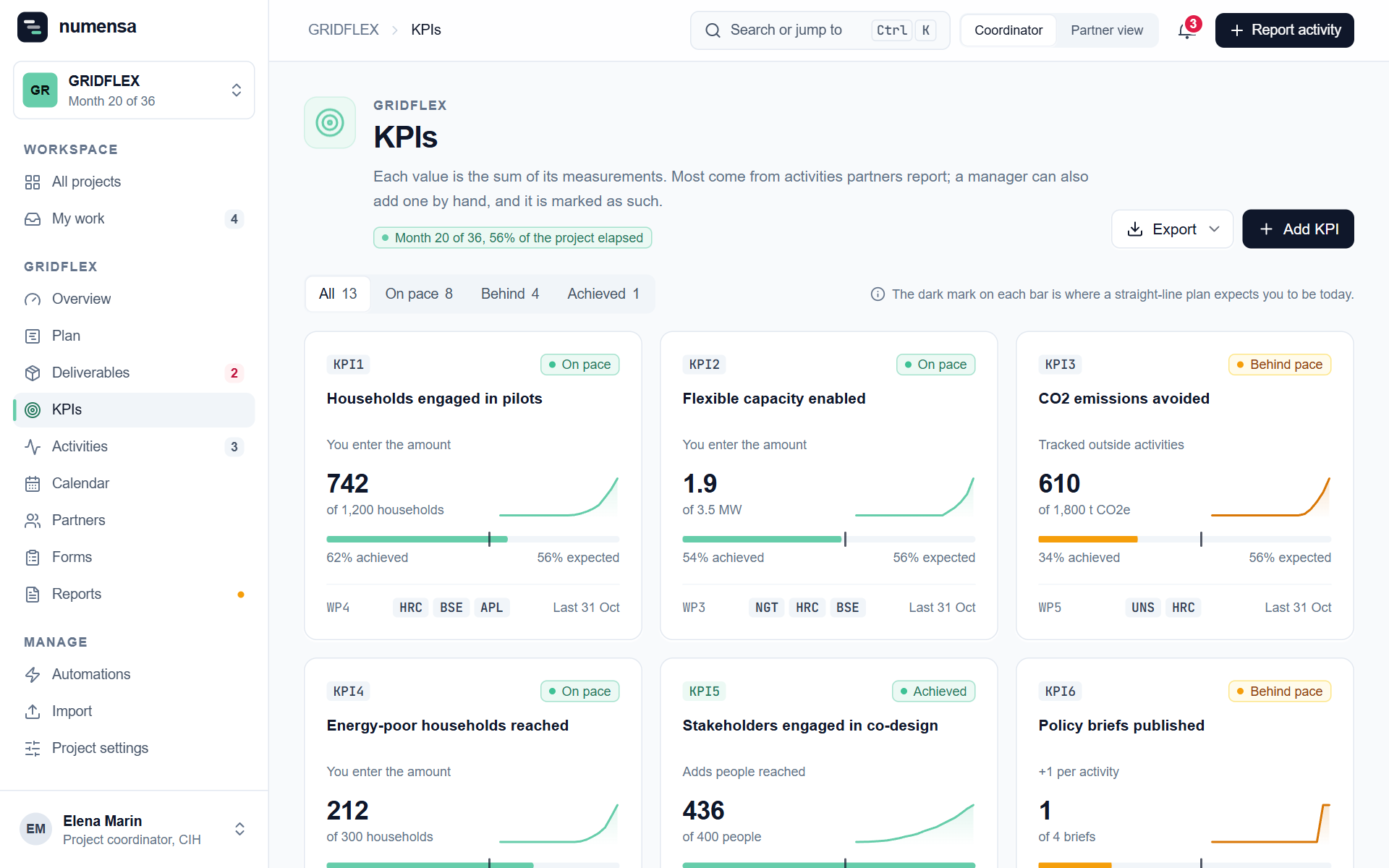 Each card: the value so far, the target, and the dark mark where a straight-line plan expects you to be today.
Where the numbers come from
A KPI's value is the sum of its measurements. Most measurements come from the activities partners report. A manager can also add one by hand, and it is marked as such.
When you add or edit a KPI, you choose how activities count towards it:
| Setting | What it does |
|---|---|
| +1 per activity | Each activity ticked on this KPI adds one. Good for "events organised" or "papers published". |
| Adds people reached | Adds the number of people the activity reached. Good for "participants reached". |
| You enter the amount | The person reporting types the amount. Good for "households engaged". |
| Tracked outside activities | Activities do not touch it. You add the figures yourself, for example website visitors. |
On pace or behind
Numensa compares what is achieved with how much of the project has passed. On pace, Behind pace and Achieved come from that comparison. It is a straight line, so a KPI that is expected late in the project will show as behind for a while.
One KPI
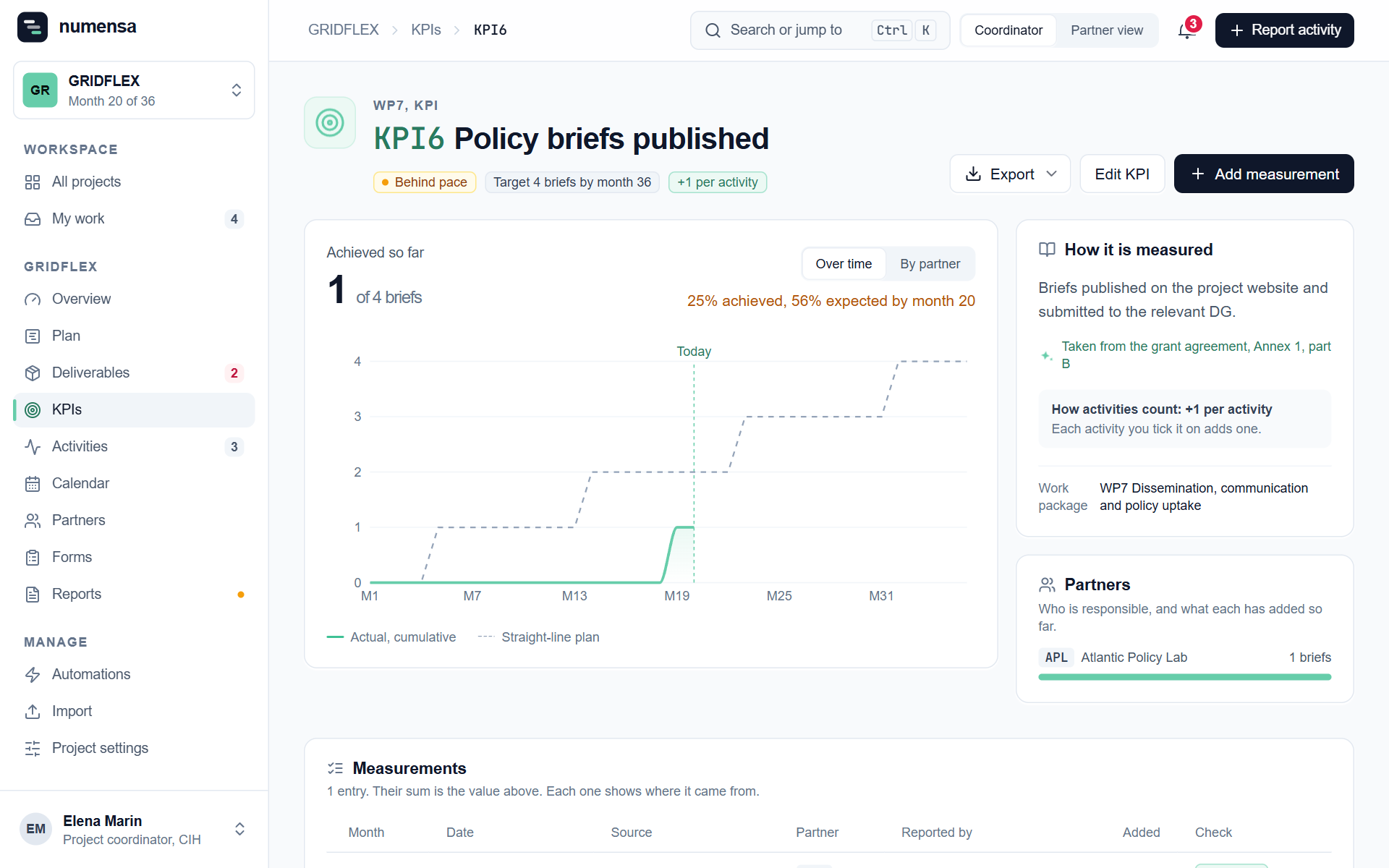 A KPI's page: the curve over time, who is responsible, and every measurement with its source.
- Add measurement adds a figure by hand, with a date and a partner.
- Edit KPI changes the target, the unit, the lead partner and the contributing partners.
- By partner shows what each organisation has added.
- Export gives you the measurements as a spreadsheet.
Fix a wrong total
Use Correct the total. You say what the total should be and why. Nothing is deleted: the difference is added as one more entry, marked as a correction, with your name and the reason. Everyone in the project can read it in the KPI's history.
Verified numbers
A measurement from an activity counts as checked once the activity is verified. See Activities.