
Appearance
Project settings
Everything that shapes how a project works, in one place. Open Project settings under Manage.
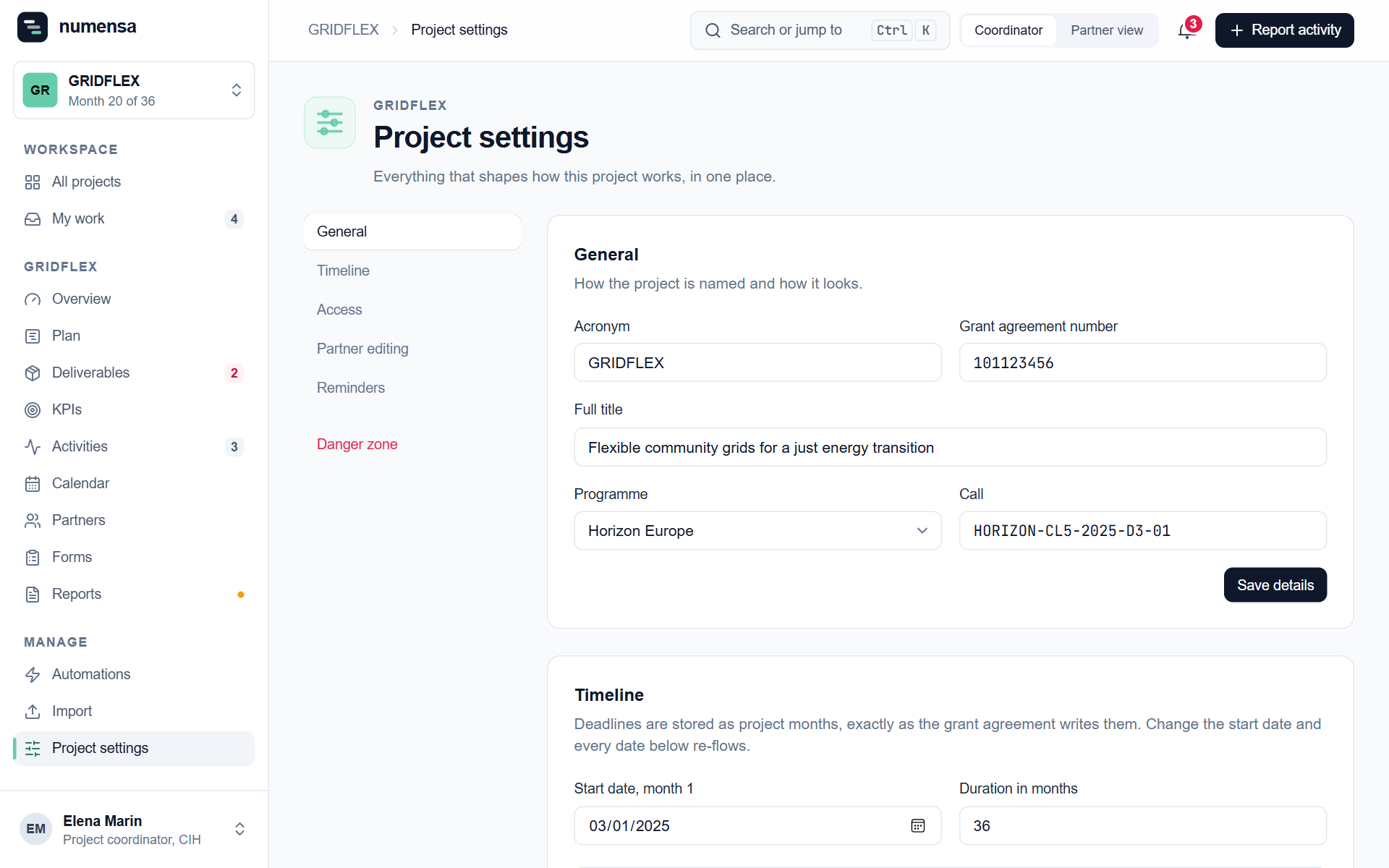 The sections: General, Timeline, Access, Partner editing, Reminders and the Danger zone.
General
The acronym, grant agreement number, full title, programme and call. The acronym is what partners see everywhere, including at the start of every e-mail subject.
Timeline
The start date (month 1) and the duration in months. Deadlines are stored as project months, exactly as the grant agreement writes them. Change the start date and every date re-flows. The list below the fields shows what the next deadlines become.
Access
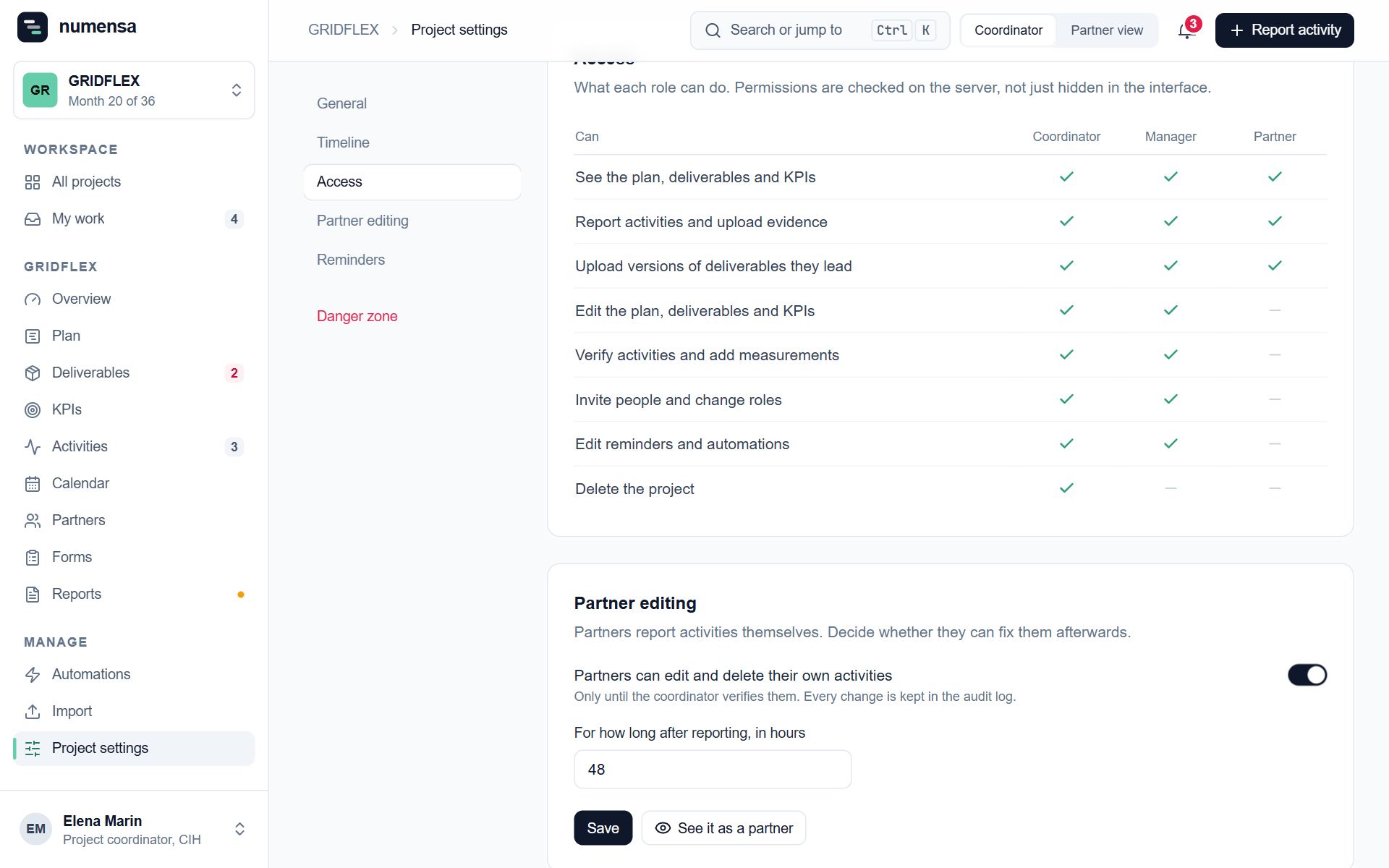
A table of what each role can do. It is for reference. To change someone's role, go to the Partners page. See Roles.
Partner editing
Partners report activities themselves. Here you decide whether they can correct or delete their own activities afterwards, and for how many hours after reporting. It only ever applies until you verify the activity.
See it as a partner shows you the project the way a partner sees it.
Reminders
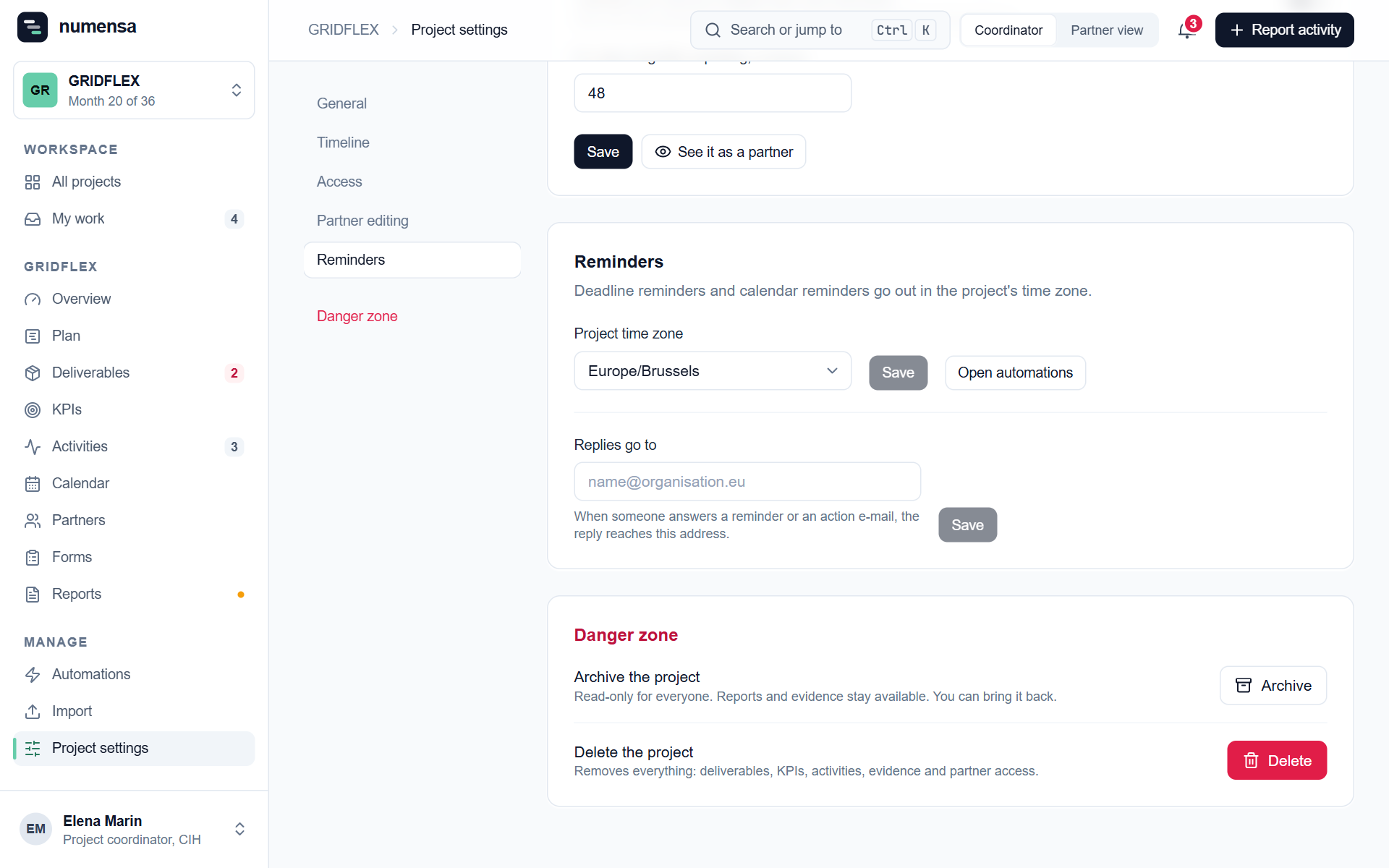
- Project time zone. Deadline and calendar reminders go out at their set time in this time zone.
- Replies go to. When someone answers a reminder, the reply reaches this address. Leave it empty and replies go to the project's coordinator. Set it when someone else, such as the communication lead, should get the answers.
Danger zone
- Archive the project makes it read-only for everyone. Reports and evidence stay available, and you can bring the project back. Use this when a project has ended.
- Delete the project removes everything: deliverables, KPIs, activities, evidence and partner access. Only the coordinator can do this, and it cannot be undone. Export what you need first.