
Appearance
The plan
The Plan page is the project on one timeline: work packages, tasks, deliverables and milestones, exactly as the grant agreement places them.
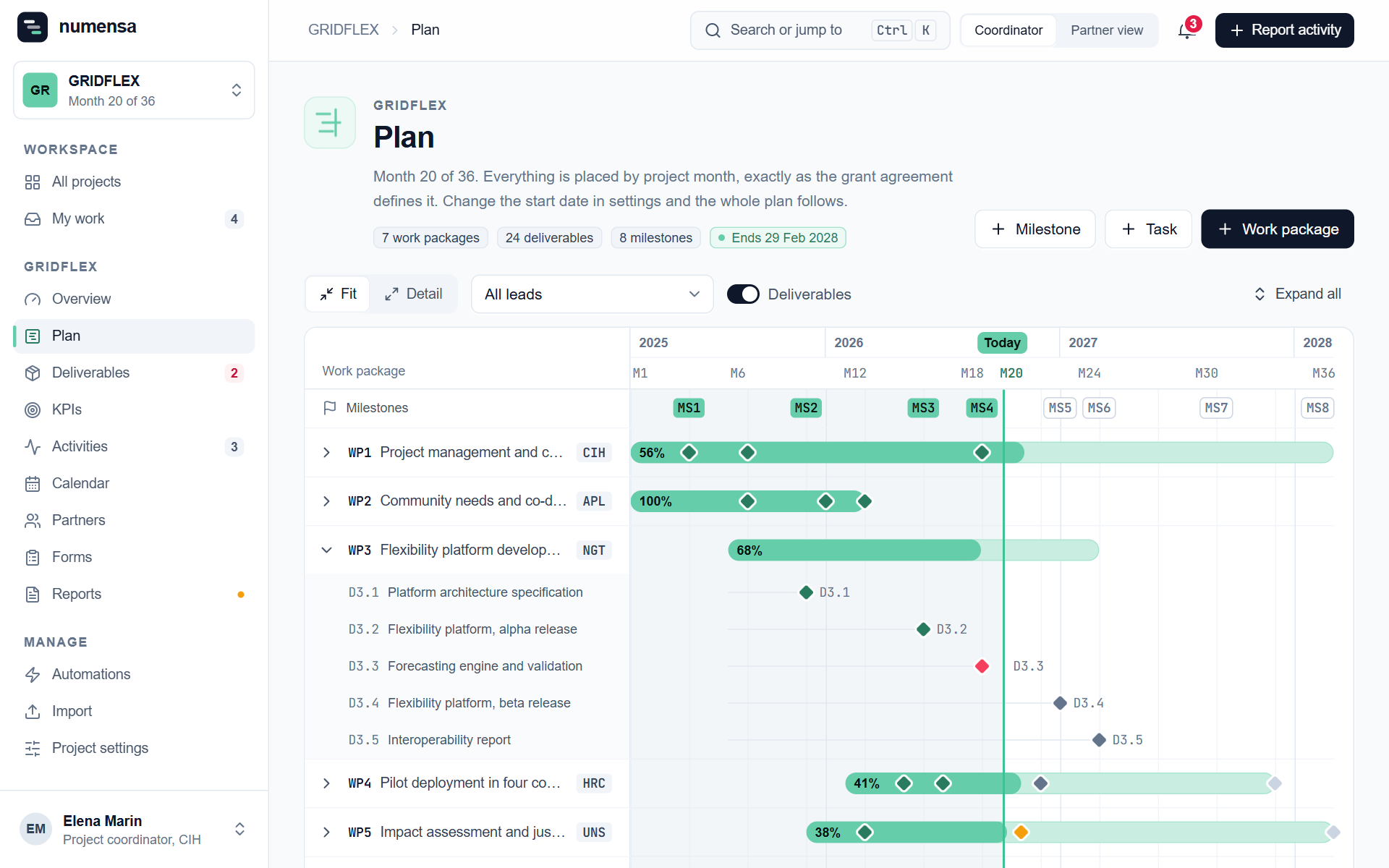 Work packages across the project's months, with milestones on top.
Read it
- Each row is a work package, with its lead and how far it is. Open one to see its tasks and deliverables.
- The line marked Today shows where the project is.
- Colours show the state: submitted, due soon or in review, in progress, not started, overdue.
- Filter by lead partner, or show only milestones, tasks or deliverables.
Everything is placed by project month
Deadlines are stored as months (M18), not dates. Change the start date in Project settings and the whole plan follows. That matters after an amendment or a delayed start.
Milestones
The list under the timeline shows each milestone with its month and work package. Click Add for a new one, or open one to mark it achieved.
Change the plan
- Edit a work package, task, deliverable or milestone by opening it.
- After an amendment, import the new grant agreement on the Import page. Nothing changes until you have reviewed every difference.
Partners see the plan, and cannot change it.